
SEO metadata analysis
Review page titles, descriptions, canonical information, social tags, and heading structure.
Webpage Quality Companion
PageQualis brings webpage quality analysis directly into your browser. Explore SEO metadata, accessibility insights, image details, and technical resources with a simple, on-demand scan.
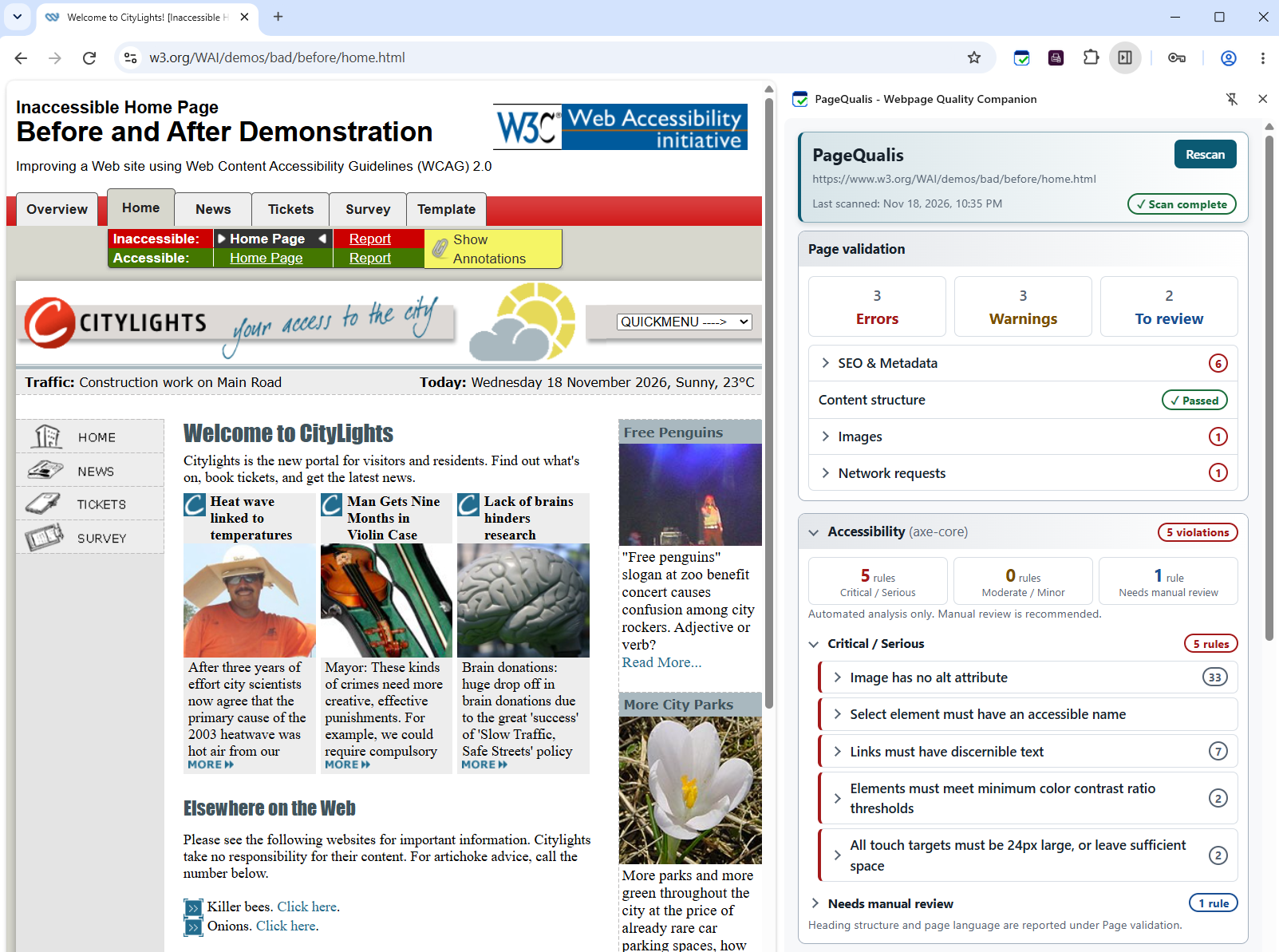
PageQualis running directly in your browser
Core capabilities
Explore important webpage quality signals without switching between multiple tools.
Review page titles, descriptions, canonical information, social tags, and heading structure.
Identify potential accessibility issues using axe-core, covering WCAG 2.0, 2.1, and 2.2 Level A and AA criteria.
Find broken or failed image loads and identify images that may be missing alternative text.
Examine failed page and resource requests, including CSS, JavaScript, fonts, and media.
Understand identified issues through explanations and suggested fixes.
Highlight affected elements and copy CSS selectors for further analysis.
Simple workflow
PageQualis makes webpage analysis accessible directly from your Chrome browser.
Navigate to the webpage you want to examine in Google Chrome.
Click the PageQualis extension icon to initiate analysis.
Review findings, understand potential issues, and take action.
Privacy and transparency
PageQualis is designed with privacy in mind. Webpage scanning and analysis are performed locally in your browser. Scanning is initiated by you, rather than automatically running.
A clearer view of webpage quality
Get useful SEO and accessibility insights, identify potential issues, and investigate webpages with PageQualis.
Add PageQualis to Chrome